For people who run many Claude Code sessions at once
Every Claude Code session on your Mac, on one page.
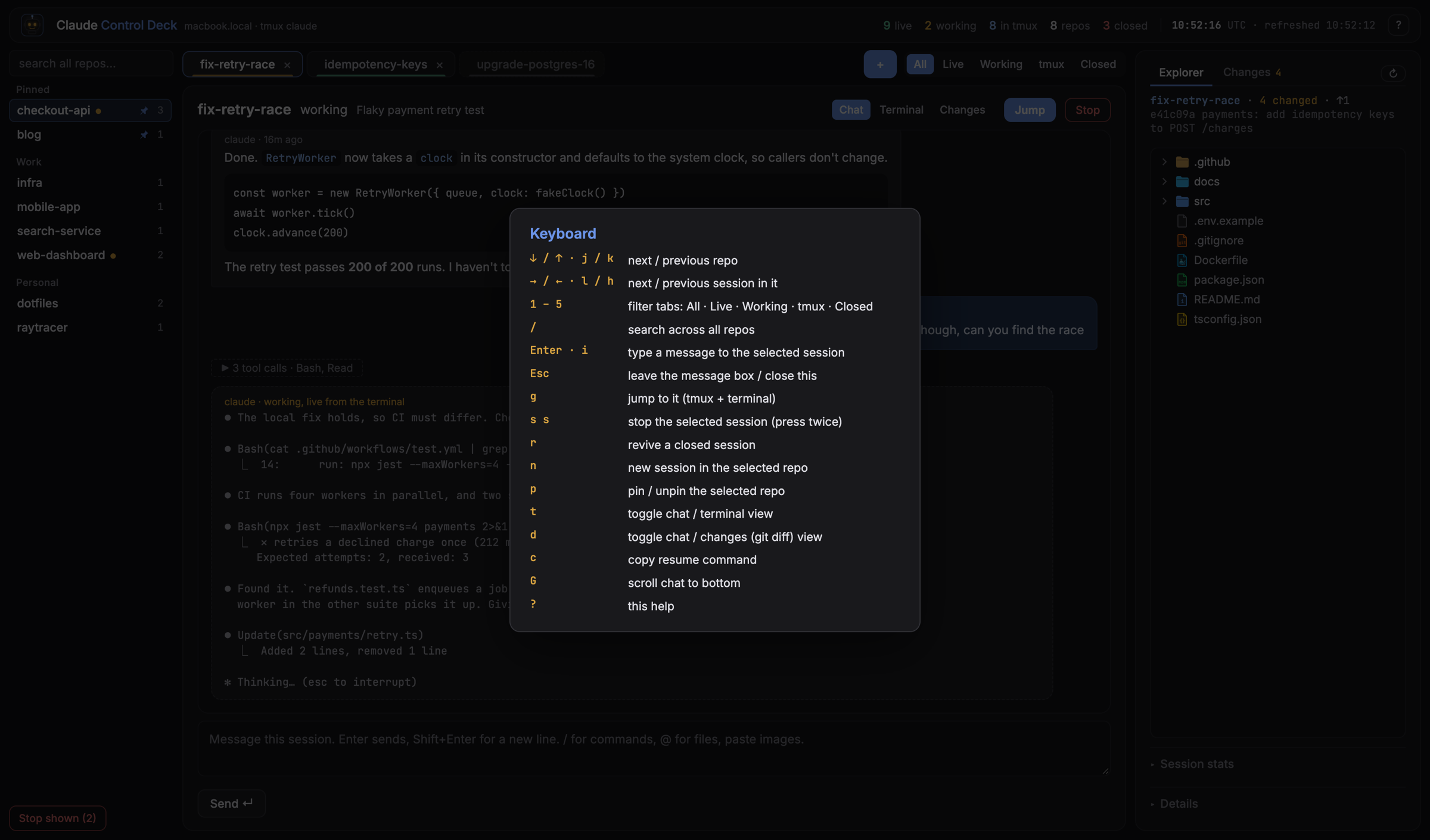
See which repo each session is in and whether it's working or waiting for you. Read the whole conversation, answer it, review what it changed, and jump to its terminal. It runs on your machine, from files Claude Code already writes.
The demo is the real interface running on made-up sessions, in your browser.
deck.localhost:47823
76 seconds, sound on. Every session in it is made up.
The problem
Run enough agents in parallel and you become the scheduler for a small team, with no board. Each session lives in a terminal tab. You ask a question in one, switch away, and find the answer twenty minutes later. Finding "the one fixing the retry test" means scrolling through tabs.
The fix
One page that answers three questions at a glance. What sessions exist, and where? Which are working, and which are waiting for me? How do I get to the one I want, right now? Then it lets you talk to any of them without hunting for the tab.
What you get
Every session, with its status
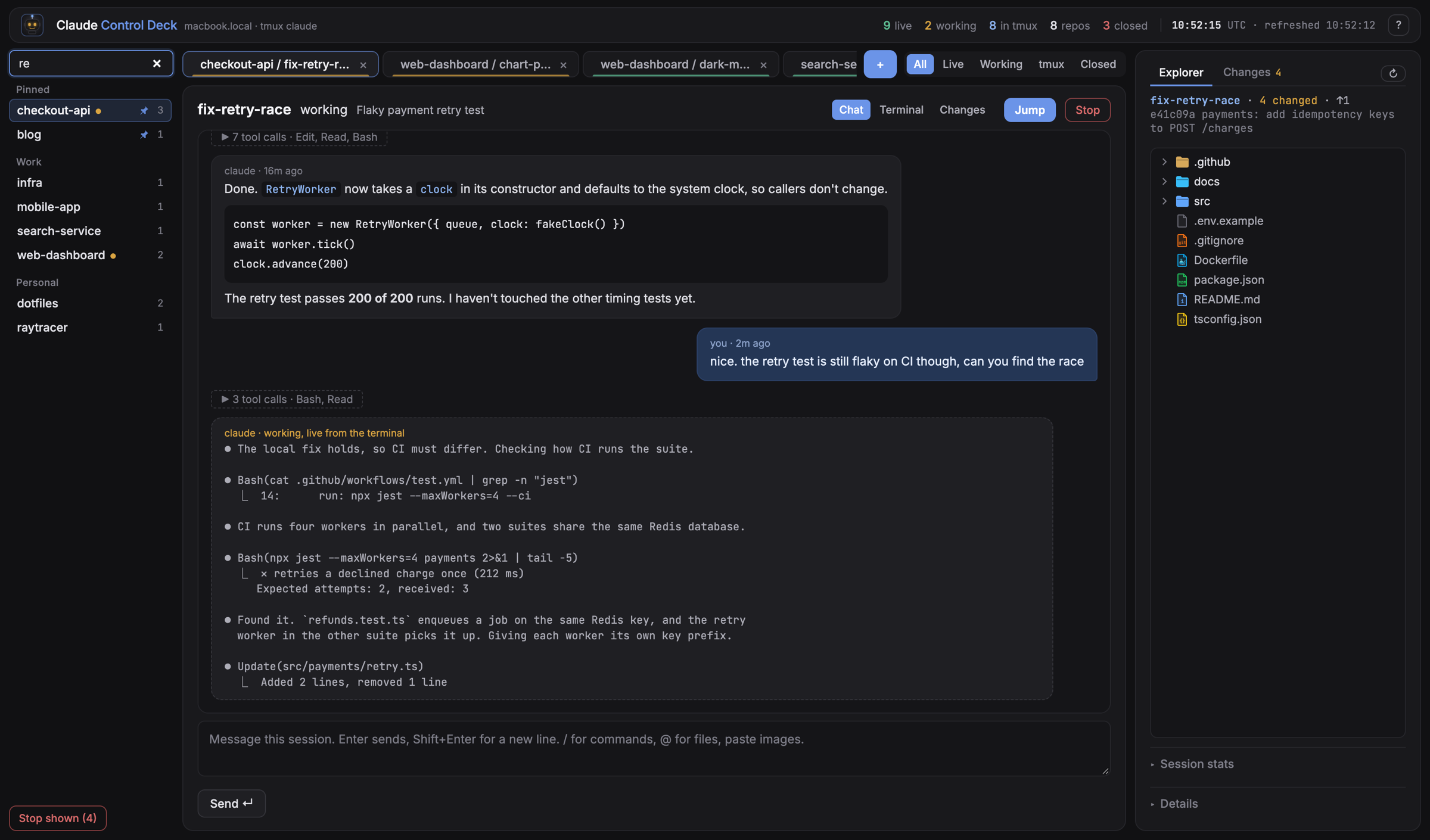
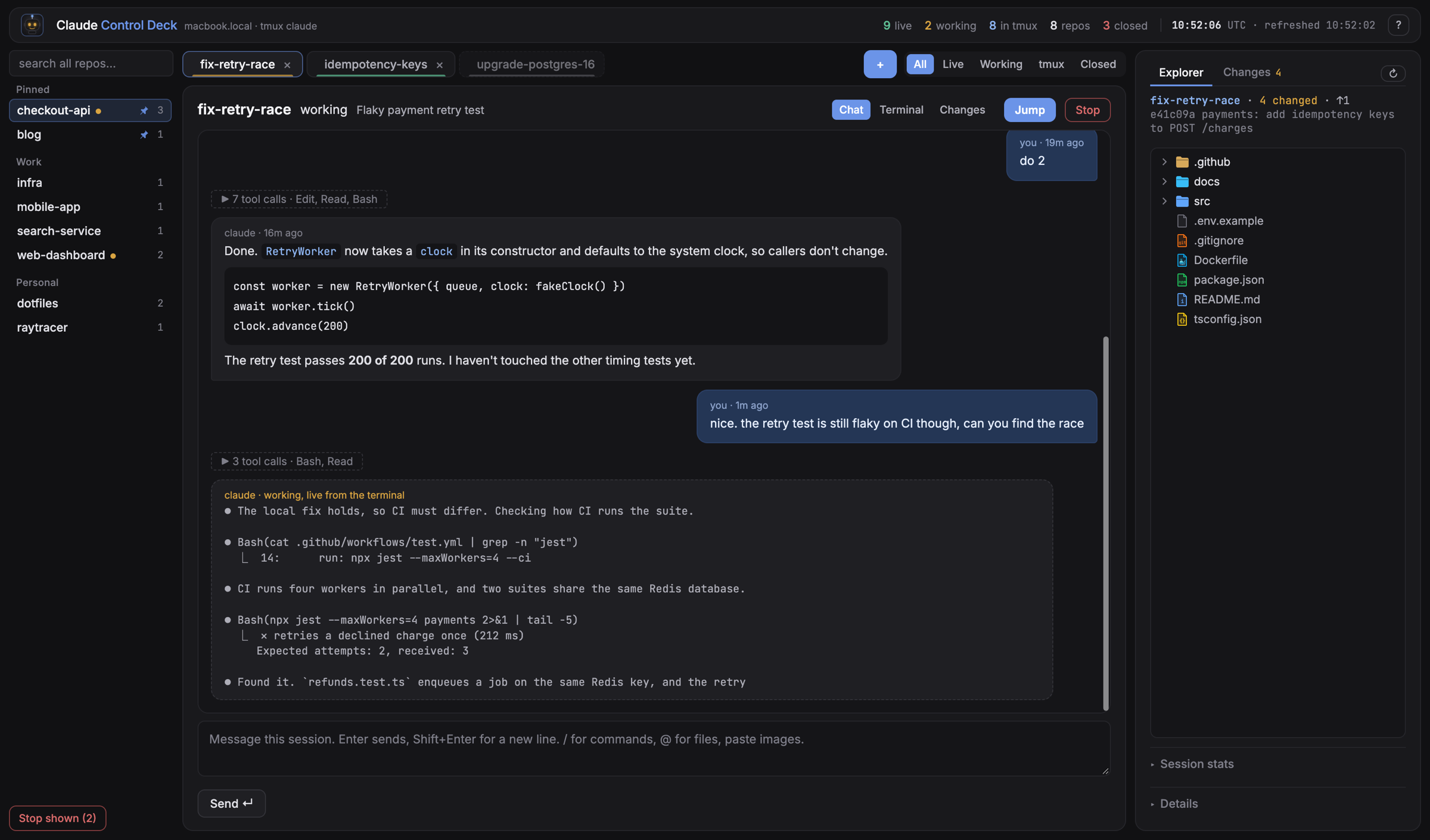
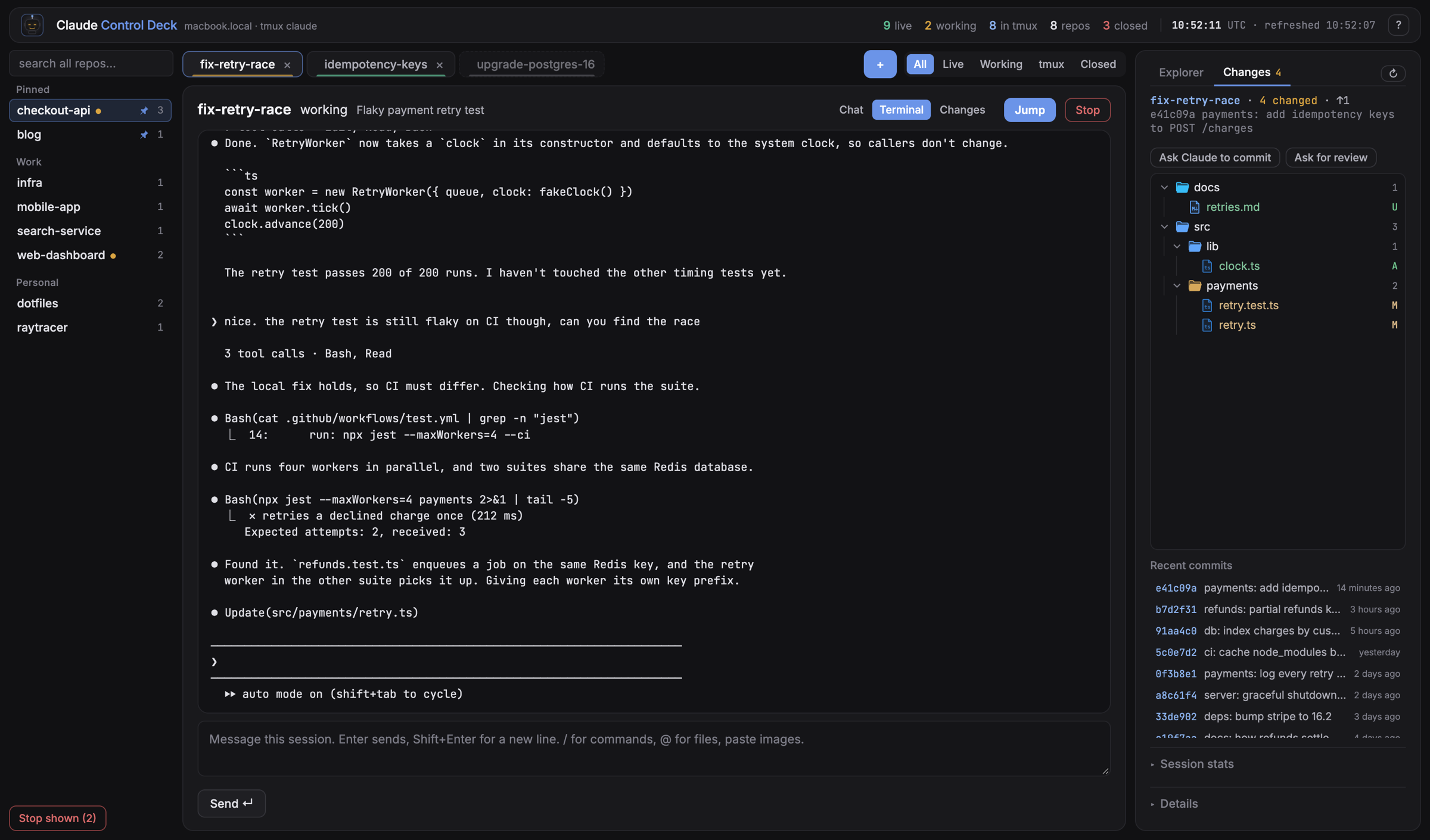
Repos sit on the left, grouped the way your folders are, with favourites pinned. Each repo's sessions are tabs, and each tab has a colour: green live, amber working, red stale, grey closed. Search finds any session in any repo.
The conversation, live
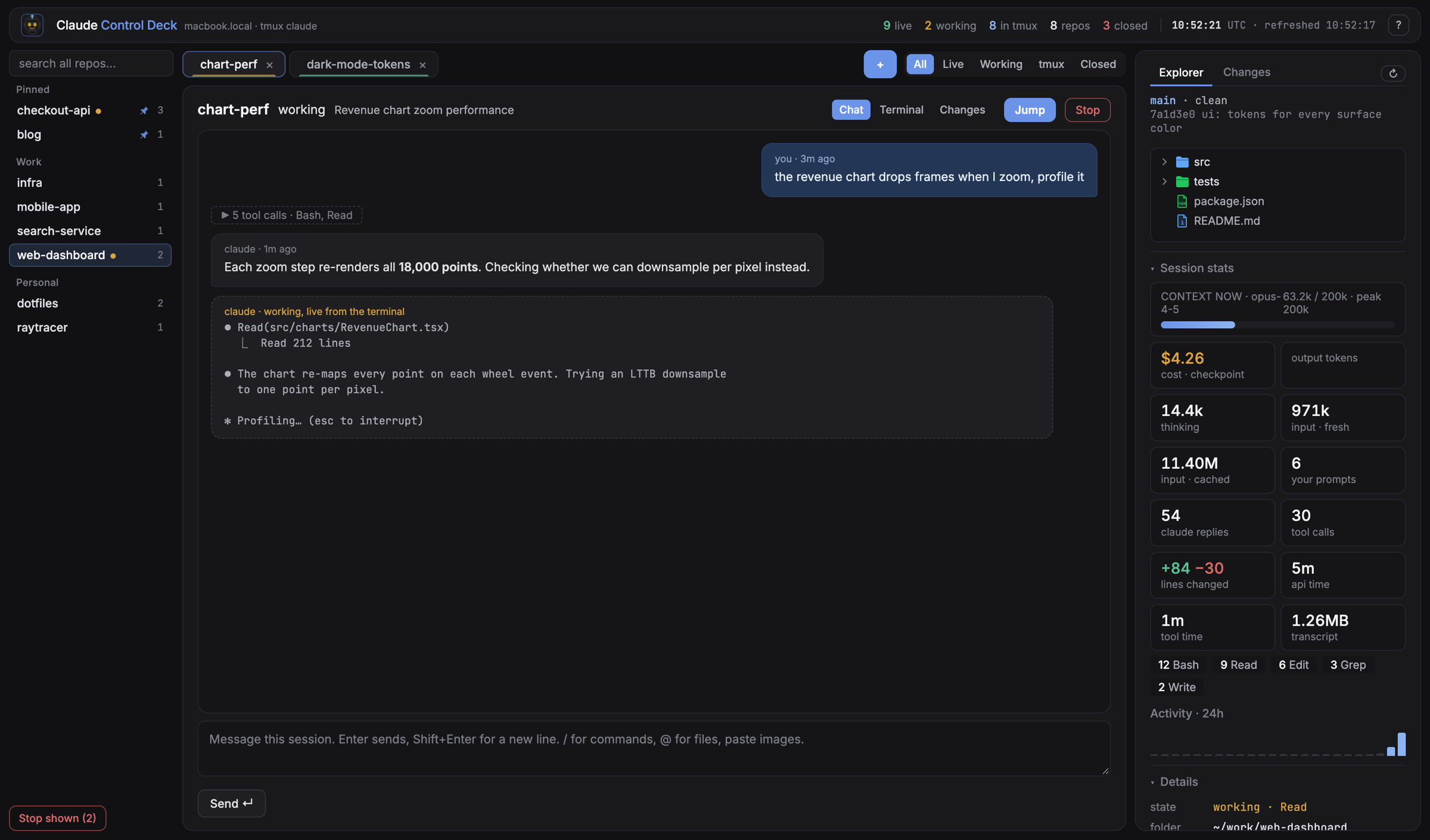
The full chat, with markdown and code rendered. While Claude is working, a live bubble shows what the terminal is printing, so you can follow along without opening it.
Changes, like a pull request
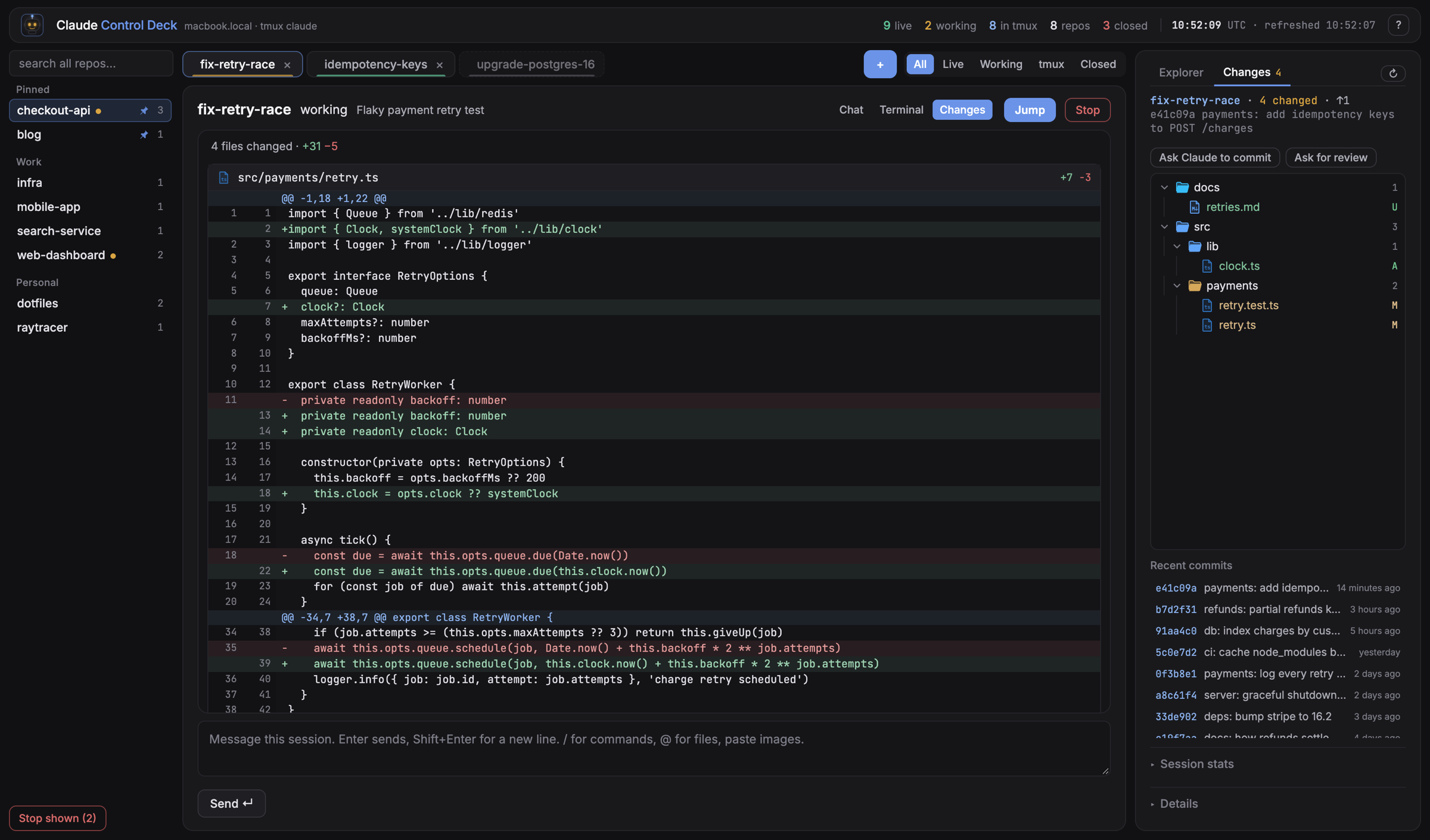
Every file the session touched, stacked with line numbers and +/− counts, plus a tree of only the changed files. One click asks the session to review its work or commit it.
A composer that works like the prompt
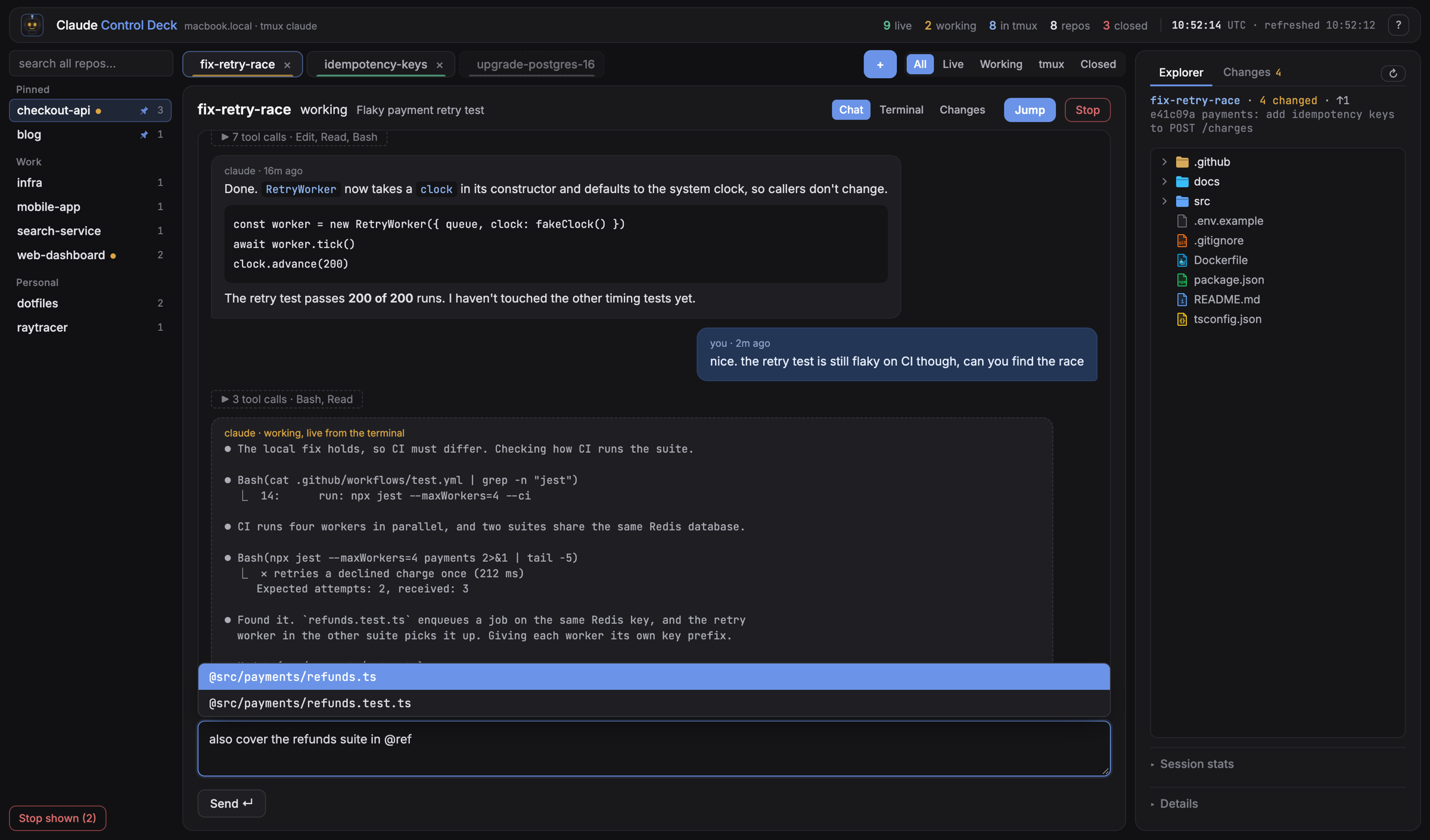
/ completes commands and skills. @ completes files in the repo. Paste or drop a screenshot and it reaches the session as [Image #1], exactly like pasting in the terminal.
The real terminal, one keypress away
Press t for the session's tmux pane inside the page. Press g to jump to the actual terminal window.
What each session costs you
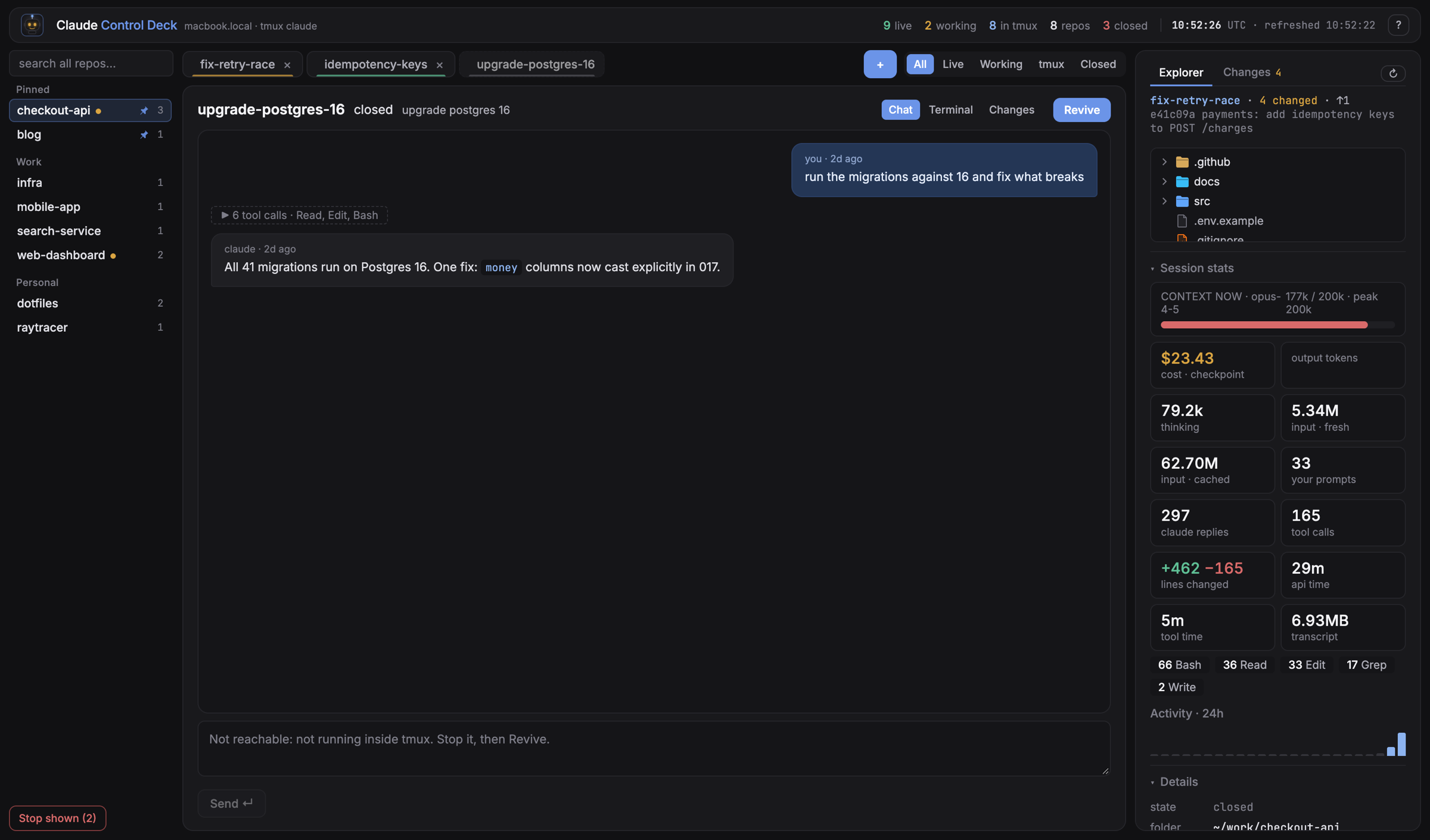
Context window use, cost, tokens, tool calls, lines changed and 24-hour activity, read from the transcript.
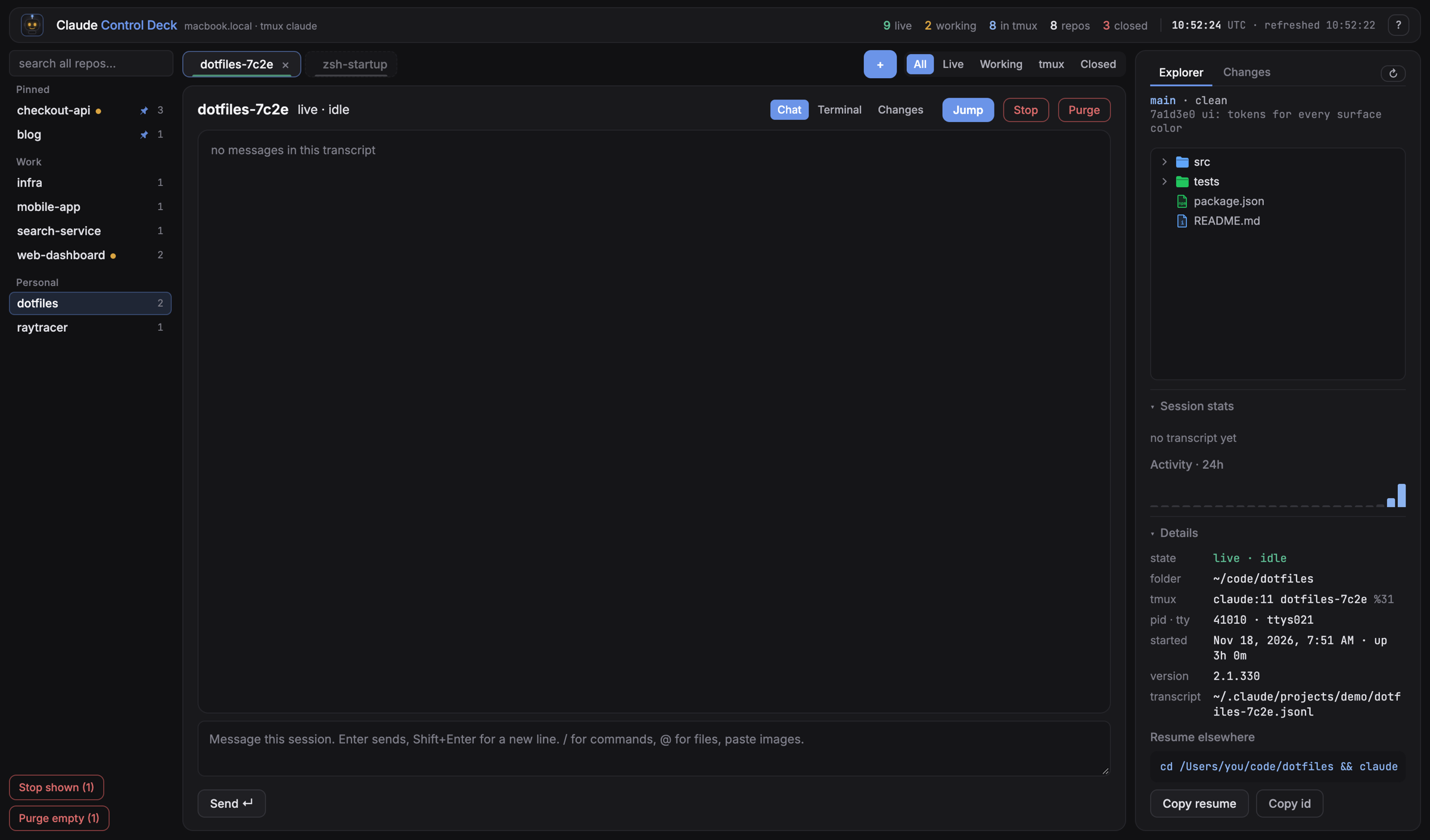
Revive a closed session with its full history.Purge sessions that never got a prompt.Keyboard first. ↑↓ repos, ←→ sessions, n new.
How it works
No plugin, no API key, no changes to Claude Code. Three files and tmux.
lists sessions, checks each process, finds its tmux pane, reads the end of each transcript
→
server.py
serves the page and a small JSON API on 127.0.0.1
→
index.html
the whole UI, one file, no build step
tmux makes every session reachable
Send a message
tmux send-keys -l "text" then Enter
Live output and terminal view
tmux capture-pane
Jump to a session
tmux select-window and bring the terminal to the front
Paste an image
put it on the clipboard with osascript, send ctrl+v
Quick start
# macOS, tmux 3.x, Python 3.9+, Claude Code. Nothing to pip install.
git clone https://github.com/kartikpuri95/claude-control-deck.git
cd claude-control-deck
./deck.sh # opens http://deck.localhost:47823# start sessions inside tmux so the deck can talk to them
ln -s "$PWD/bin/cc" /usr/local/bin/cc
cd ~/code/my-app && cc
Locked to your machine
The server can type into your terminals, so it only listens on 127.0.0.1. It refuses requests from other sites, refuses DNS-rebinding hosts, and requires a custom header and a JSON body on every write. A browser won't send those across origins without asking, and the server never says yes.
Nothing leaves your Mac. There is no telemetry and no account.
A caveat
The files it reads are Claude Code internals, not a public API. An update can change them and break part of the deck.